
Shooting RAW photos on iPhone means to save a picture like the image sensor of iPhone “sees” it; without any automatic processing. By shooting RAW, you’ll get better results during post-processing of your photo compared to a JPEG Image.
This blog post will explain the different RAW file formats and provide recommendations about camera apps that allow you to take RAW photos with iPhone.
Table of Contents
But first, here are a few sample photos that I took in RAW format using iPhone and edited using Lightroom Mobile.
iPhone RAW photos shot on iPhone using ProCamera App. All edited with Adobe Lightroom Mobile Premium.
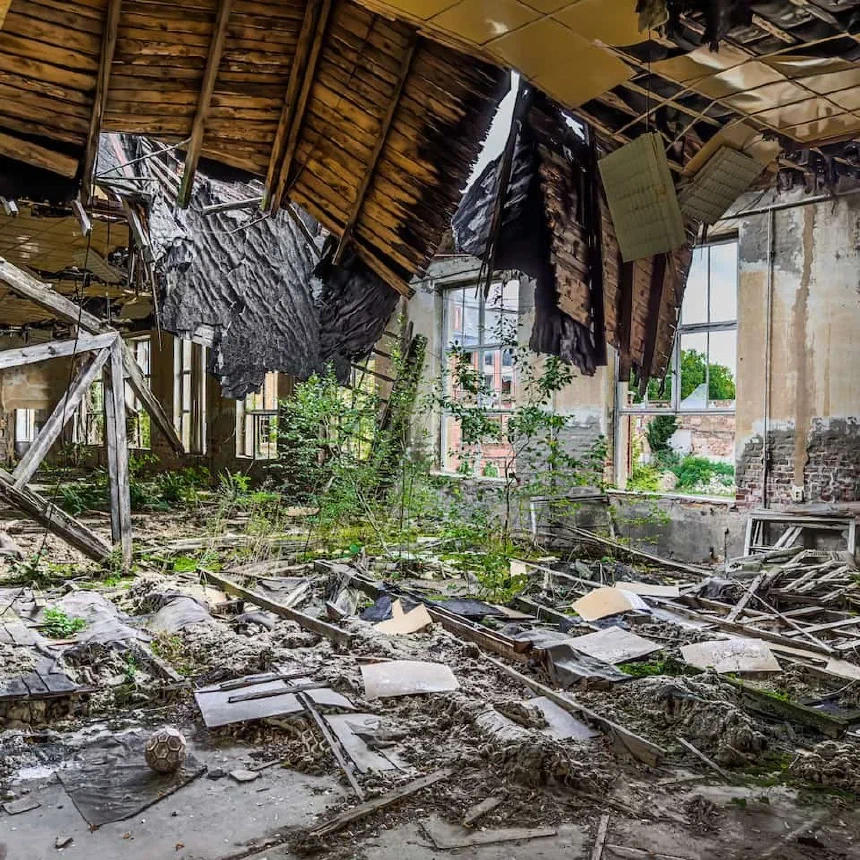
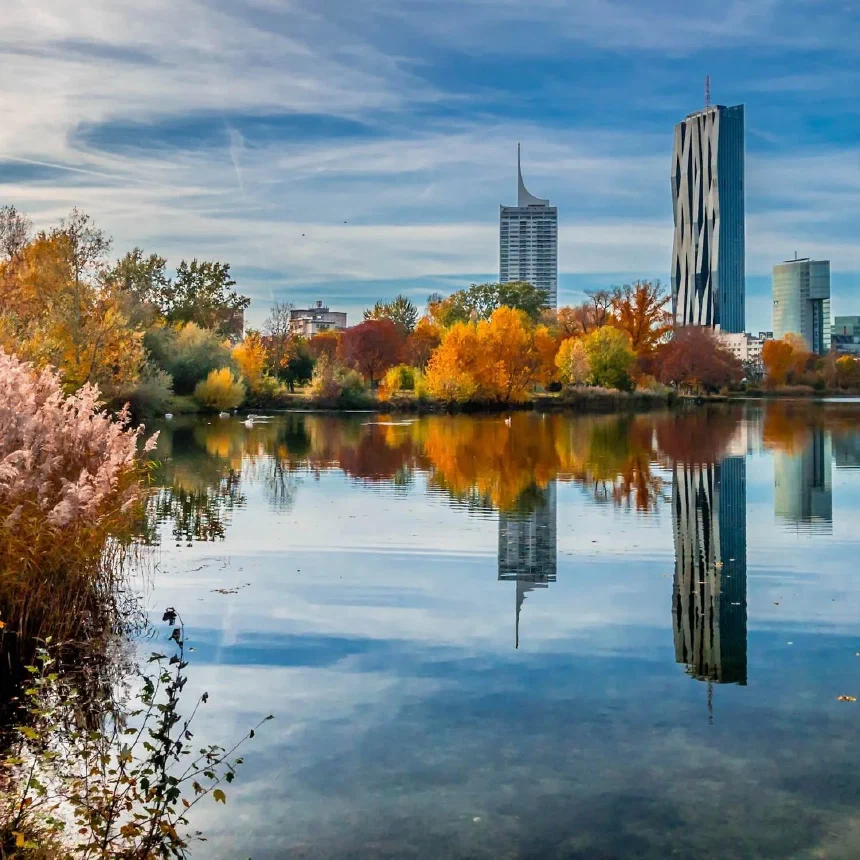
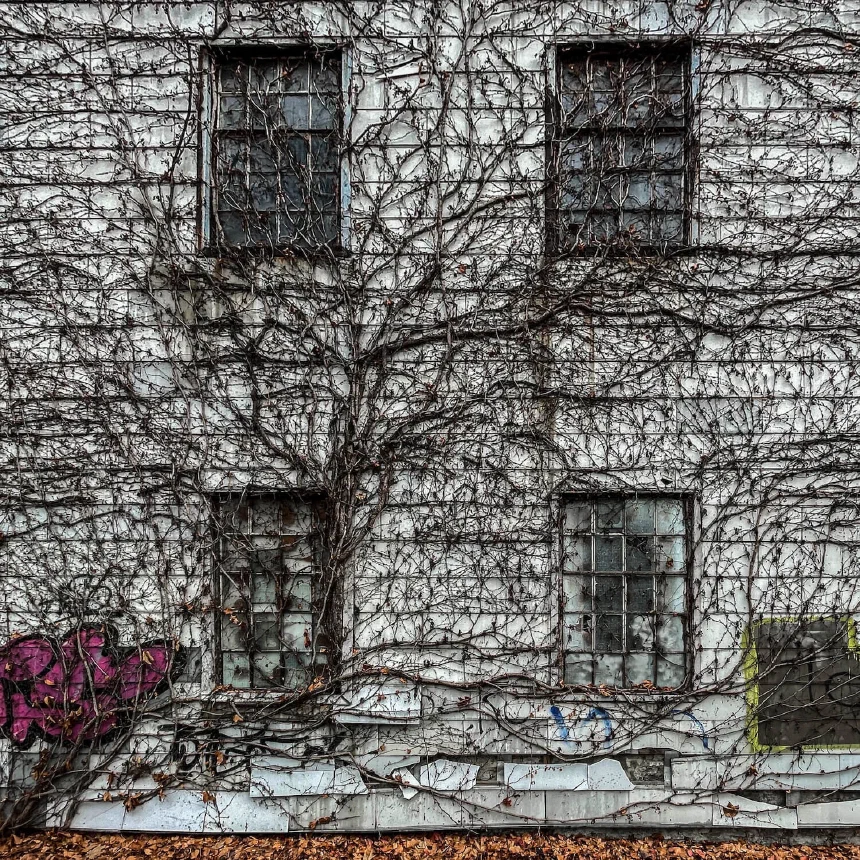
What’s the difference between the JPEG/HEIF, classic RAW and ProRAW format?
First and foremost, it’s the compression. Both the JPEG and HEIF photo format use lossy compression to reduce the file size of the photo file. A RAW file is also compressed but it uses a lossless compression that retains all the fine details, colors, tones, and brightness in a saved photo. Naturally, a lossy compression reduces the file size much more than a lossless compression.
Secondly, suppose you choose save your photos in JPEG or HEIF format. In that case, the iPhone camera system will apply some software magic to your photos to improve overall sharpness, contrast, and saturation and reduce noise. That software magic does not happen with classic RAW files. So in a RAW file you get what the sensor sees. This gives you more creative freedom to develop your photos the way you want
Lastly, there is the color depth. In an RGB image, each of the three colors red, green and blue, is represented by a number of bits. For a JPEG image it’s 8 bit, for HEIF and classic RAW it’s 10 bit and for Apple ProRAW it’s 12 bit. In simple words this means that you’ll get “more colors” in an Apple ProRAW file than in a JPEG file.
The difference between classic RAW and Apple ProRAW
Compared to the classic RAW format, which does not apply any software processing to the photo, Apple ProRAW does apply some image processing like smart HDR, deep fusion or even night mode while still retaining many benefits of the original RAW format, especially when it comes to adjusting exposure, color or white balance.
So, as of iPhone 12, you have to deal with and choose between two different RAW formats:
- The unaltered RAW format, that’ll save a photo just like the camera sensor sees it. I call this Classic RAW
- The new Apple ProRAW format that’ll apply some software magic to your photo while still retaining many benefits of the classic RAW format.
The RAW file format, extension and file size
Both the classic RAW format and Apple ProRAW will be saved in the Digital Negative format developed by Adobe. Both RAW file formats have the extension .dng
Please beware that, technically, any image can be saved as a DNG file. So just because an image file has the extension .dng doesn’t mean it’s a RAW file.
Because of the factors I mentioned previously like compression and color depth, RAW files are notably larger than JPEG or HEIF photos. A classic RAW photo shot on any iPhone is usually around 10-12 megabytes.
A classic RAW file can be slightly larger if you use a camera app that additionally saves a JPEG preview inside a classic RAW file
Apple ProRAW files will consume more storage. They contain the image data as the sensor sees it, plus additional information originating from smart HDR, low light mode, or deep fusion. Further, Apple ProRAW photos have a color depth of 12 bit instead of 8 bit that you’ll get from a JPG.
Checking the Apple ProRAW files shot on iPhone 12 and iPhone 13, I get an average size of a ProRAW photo is between 20 and 30 megabytes. Photos taken using night mode tend to be larger than photos shot during the daytime.
With iPhone 14 and the new 48 megapixel sensor of the main camera, Apple ProRAW files get even larger. The largest iPhone 14, 48-megapixel, ProRAW file I’ve taken so far with iPhone 14 is 93.2 megabytes.
RAW Photos require post processing
RAW photos are not intended for sharing but for processing. So, before you share a RAW image, you’ll need to digitally develop it using a RAW editor. And here is a pitfall: DNG files may also contain a JPEG version of the RAW photo that’s used as a preview.
So, ff you open a RAW photo with a photo editing app that’s not capable of handling RAW photos, the app may just use the embedded JPG preview. So you’ll edit the preview instead of the RAW image.
It’s also worth noting that an iPhone RAW photo may look worse than a corresponding JPEG file at first sight. And that’s because the camera does not apply any automatic adjustments to the RAW image. Here’s a screenshot of Adobe Lightroom Mobile to illustrate that.
The first photo is an unedited RAW photo, while the second one is a screenshot of the same picture with some adjustments applied.
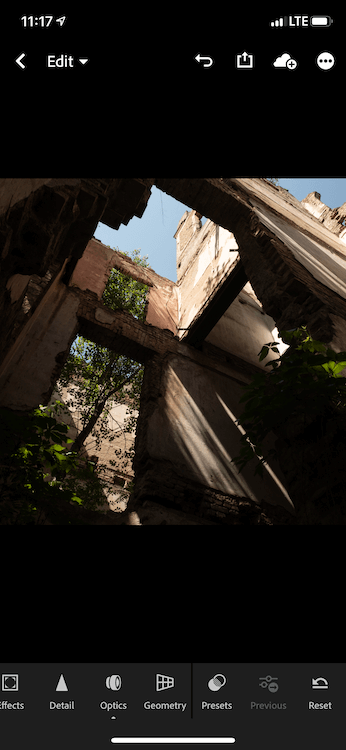
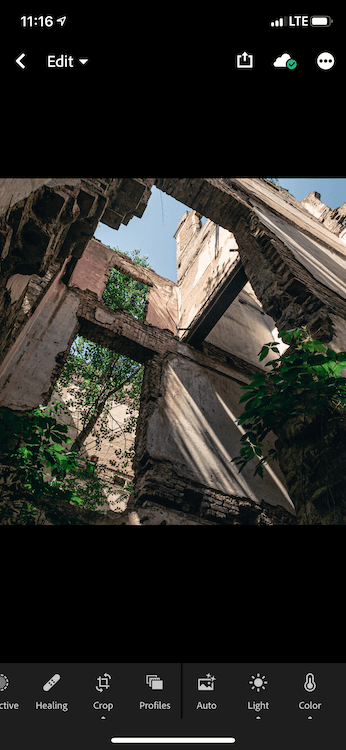
Notice how many details you can recover from the photos’ dark areas if you shoot in RAW. That’s one of the reasons I like to shoot RAW!
Which Photo Editing Apps support editing RAW photos on iPhone?
Since the iPhone 12, you can fine-tune some aspects of a RAW photo using the iOS Photos App. If you apply any adjustment to a RAW image in Photos App, it will create a JPG and save that edited photo as a version. So you can always revert back to the original RAW file.
But to use all the benefits of RAW photos, you’ll need a RAW photo editor like Adobe Lightroom Mobile Premium.
I’m highlighting the word premium here because you’ll need to have a paid subscription to develop RAW photos with Lightroom Mobile. If you’re considering subscribing to Lightroom Mobile, here’s a detailed list of free and premium features in Adobe Lightroom Mobile.
It’s no secret that I’m a fan of Lightroom Mobile. Aside from the RAW editing capabilities, it comes with lots of near features that I use regularly.
If you own ProCamera App, you’ll not only be able to shoot RAW on your iPhone, but you can also develop RAW photos using the built-in RAW editor.
Adobe Lightroom and ProCamera support editing Apple ProRAW files. If you’re curious, I’ve written a blog post that outlines my RAW editing workflow in Lightroom Mobile.
As you now know all the ins and outs of shooting RAW on iPhone, let’s look at which camera apps support shooting RAW.
Which camera apps support shooting RAW on iPhone?
That question is difficult to answer because it depends on the iPhone model and the iOS version you own.
- For iPhone 11 and earlier, you have to use a third-party camera app to take classic RAW photos. Apple ProRAW is not available for these iPhone models.
- If you have an iPhone 12 or iPhone 13 pro model and iOS 14.3 or newer, you can take Apple ProRAW photos using the stock camera app and a third party camera app. For classic RAW photos you still need to use a third-party camera app, even with iPhone 12 or iPhone 13 and iOS 14.3
- If you have an iPhone 12 or iPhone 13 non-pro model you can take only classic RAW photos using a third-party camera app. Apple ProRAW is not available on iPhone 12 and iPhone 13 non-pro models.
My favorite camera app to take RAW photos on iPhone is ProCamera App, that I’ve reviewed previously in the blog.
Other popular camera apps that support shooting RAW are the Moment Camera App, Halide. Even the Lightroom Camera App included in Adobe Lightroom Mobile can save photos in RAW format.
You’ll need to enable the RAW photo format somewhere in the camera app’s settings for each of the mentioned camera apps.
To enable Apple ProRAW in the built-in camera app, go to Settings, then scroll down to the camera app settings and tap it. The first option you see should be a configuration option labeled Format. Tap it and then enable Apple ProRAW.
If you don’t see the Apple ProRAW option, make sure you have at least an iPhone 12 Pro or later (it won’t work with iPhone 12 “non-pro” models) and that you’ve upgraded to iOS 14.3 or later.
Once you have enabled ProRAW, you can easily active it by tapping the RAW icon in the upper right corner of the iOS camera app.
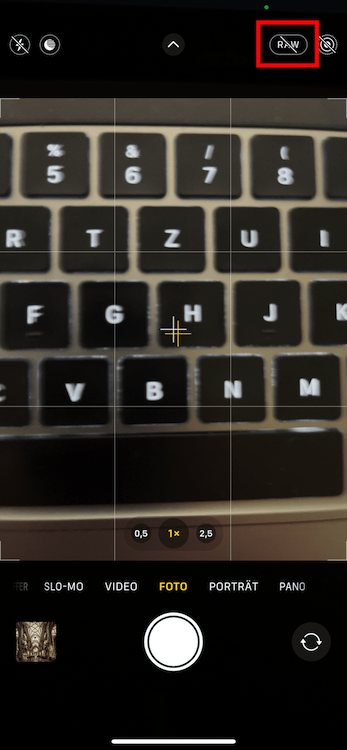
Unless you’ve enabled Apple ProRAW under Preserve Settings in the camera app’s settings, Apple ProRAW will be turned off whenever you close the camera app or put your iPhone to sleep. You’ll need to tap the RAW icon in the camera app again to activate it on.
Which lenses can I use to take RAW photos with iPhone?
This is another question that depends on the iPhone model and iOS version you have:
- For iPhone models before iPhone 12 and iOS 15, the classic RAW format is only available for the wide lens but not for the ultra-wide or zoom lens
- If you have an iPhone 12 or iPhone 13 (any model) and iOS 15, you can take classic RAW photos with a third party camera app using all iPhone lenses. Finally!
- If you have an iPhone 12 or iPhone 13 (pro models only), you can use Apple ProRAW with all lenses, including the front-facing selfie camera.
Why should I shoot RAW with iPhone?
Simple answer: A RAW photo contains much more image information and allows you to process and enhance a photo to a much greater extent than a JPEG photo.
For example, you may be able to fix burnt highlights or blown out dark areas from a RAW photo that would otherwise be unrecoverable in a JPG photo. In JPEG photos, such regions would be merely white or black.
Further, applying noise reduction to a RAW photo gives you much better and more fine granular control. So you can get better pictures with less noise compared to a JPEG photo. If you use or plan to use Adobe Lightroom, I’ve a tutorial about how to reduce noise using Lightroom Mobile.
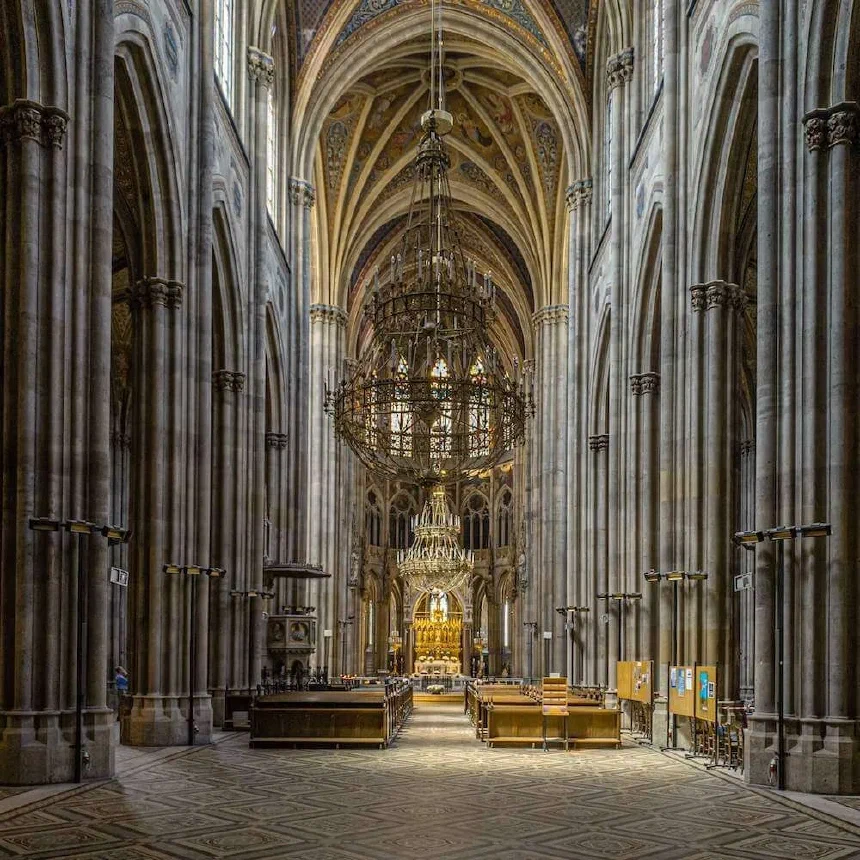
As a summary, when it comes to detail and low noise, shooting RAW beats shooting JPEG - at the price that you’ll need to edit and develop each RAW photo before publishing it. Here’s one sample photo to illustrate that.
When should I shoot RAW on iPhone?
That question is difficult to answer. In the DSLR world, you’ll often hear that you should always shoot RAW. But as you can also use your iPhone as a snapshot camera, I recommend handling it in the following way (like I do):
- Whenever I’m out shooting in the sense that I take time to compose a photo that I want to share, I shoot RAW with iPhone using ProCamera app.
- Snapshots, like “Barbecue with friends,” I typically shoot as JPEG using the stock camera app.
Are RAW Photos flagged in Photos App to identify them?
You can’t tell if a photo is a RAW photo the thumbnail view of the Photos App on iPhone or iPad. But starting with iOS13, the Photos App will display RAW in the upper left corner if you tap an image to see it in its full glory.
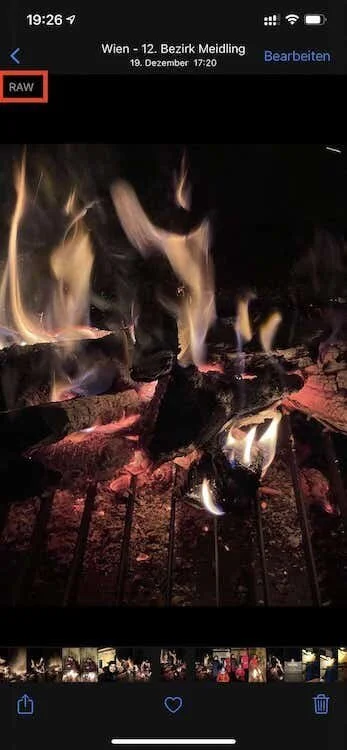
But Adobe Lightroom will help you here. If you import a photo, it’ll display a DNG sticker for RAW photos even in thumbnail view to make it easy for you to pick the correct file.
Conclusion
Coming from the DSLR world, I was pretty excited when Apple allowed third-party camera apps to save RAW photos. I got even more excited to learn that iPhone 12 Pro and iOS 14.3 will ship with their own RAW format, Apple ProRAW.
Generally, shooting RAW will result in a much better final image as the RAW format contains much more image data - just as the camera sees it.
On the other hand, you’ll need to invest time to process each and every RAW photo separately before sharing it. But especially if you’re photographing scenes like extraordinary landscapes or stunning architecture, shooting RAW is well worth the additional effort as the final result will be a much better image.
Discussion
13 CommentsComments are moderated, links are deleted. So don't even bother spamming.
Peter
Thanks in advance.
Personally, I think there are a lot of scenarios, for which shooting with ProRAW and manual settings make sense. Though a ProRAW Photo runs through the photo pipeline, it still retains a lot of detail and information for manual post processing - compared to a compressed JPG or HEIF image. However, I do agree that it would be nice to be able to shoot a classic RAW with 48 megapixels.
Thank you for this informative explanation.
I come from a casual SLR/DSLR background, but on my last trip noticed that my iphone 8 (8!) was shooting better pictures under certain conditions than my DSLR. I was and am ready to ditch the DSLR completely while traveling.
But I had also seen my friend's more advanced iPhone make unwanted and, to me, inappropriate "enhancements" that completely ruined the mood of the shot, most often by flooding it with excessive light. Your church photo here is a great example. I wanted to be able to override those auto-adjustments and create a photo that looked just the way I saw it in real life, and I knew RAW shooting and editing was the key, but I had no knowledge of how to use RAW on my phone.
THANK YOU for taking the time to write this very detailed article.
Just one more step
Please enter your name and email address. Your email will never be published.