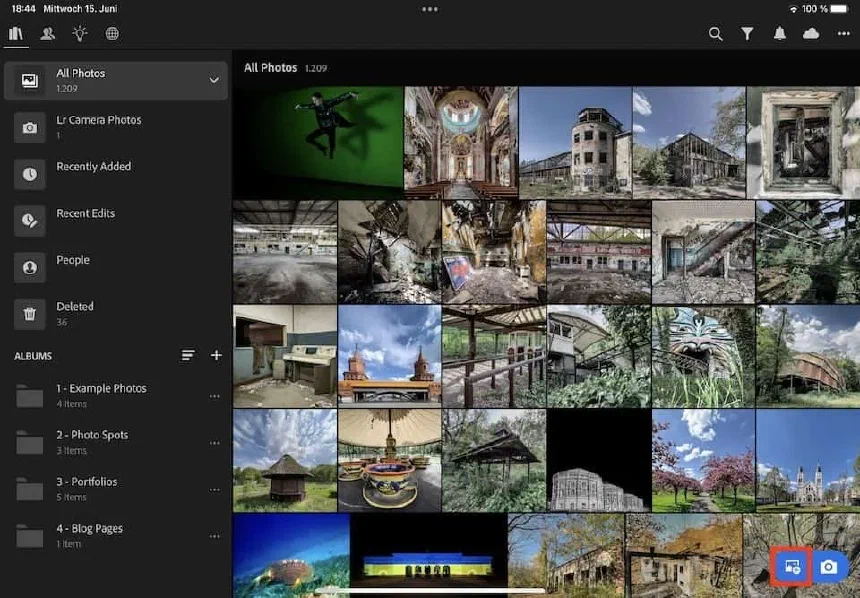
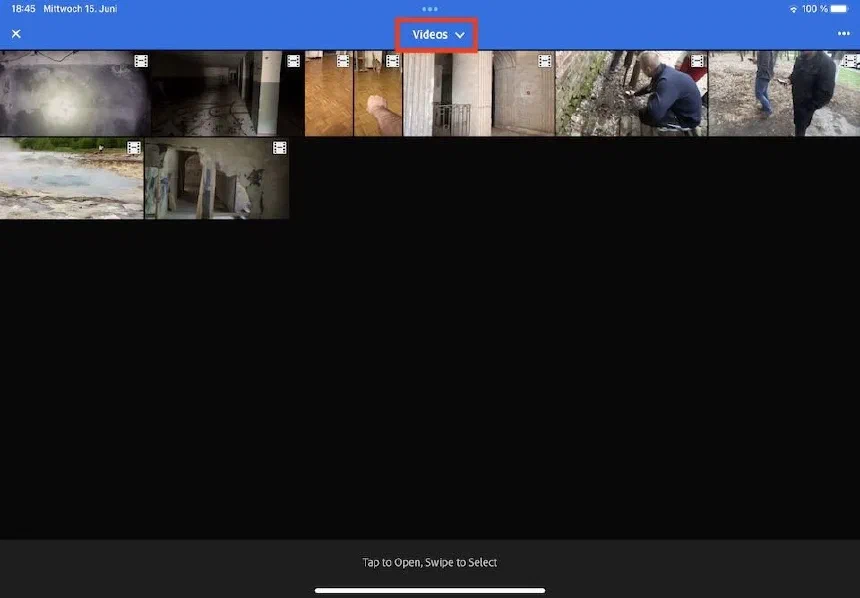
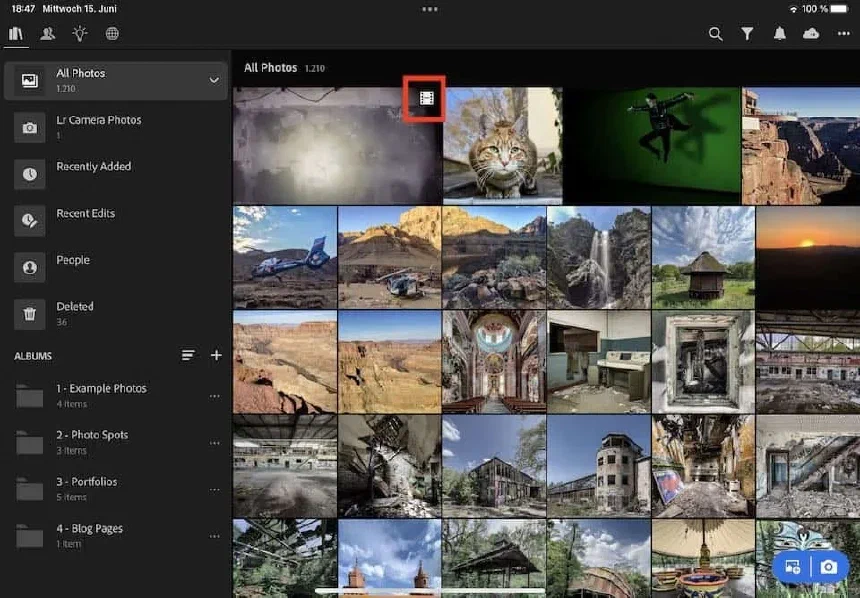
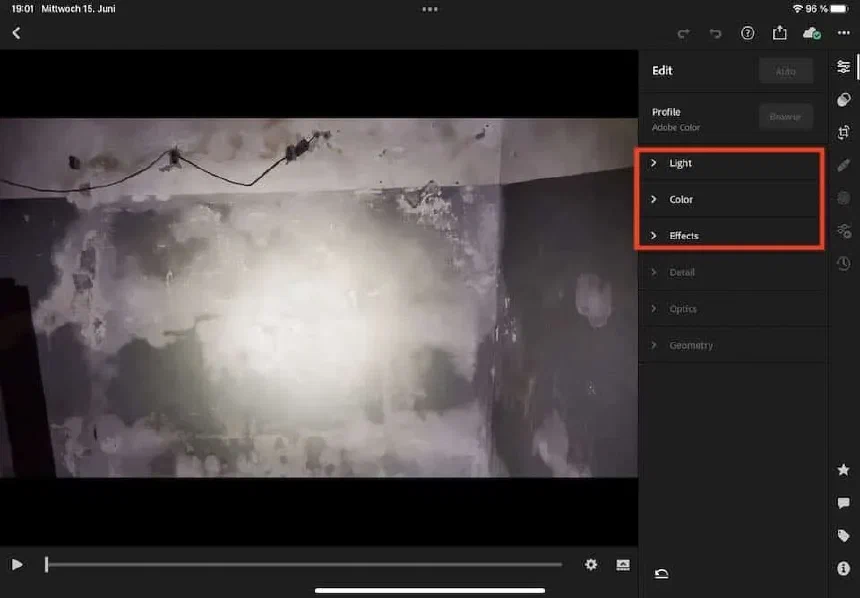
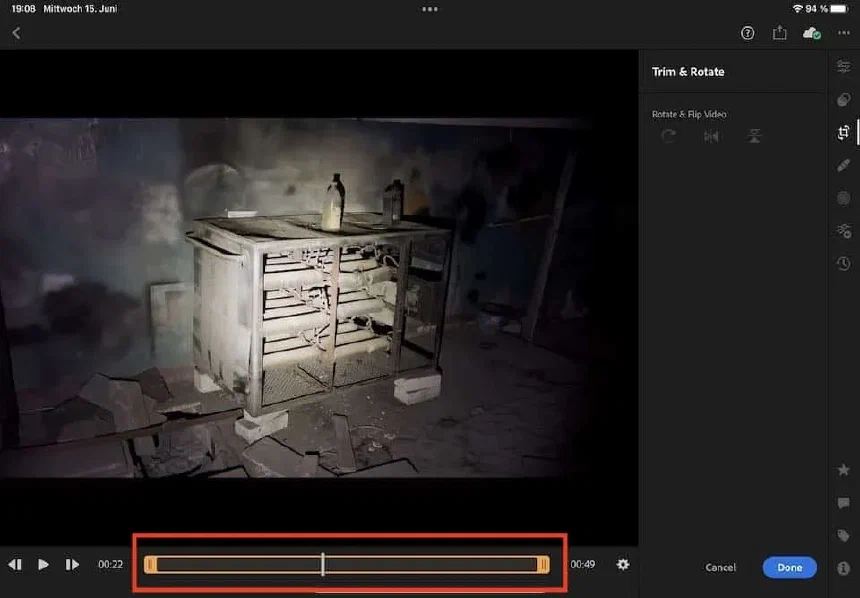
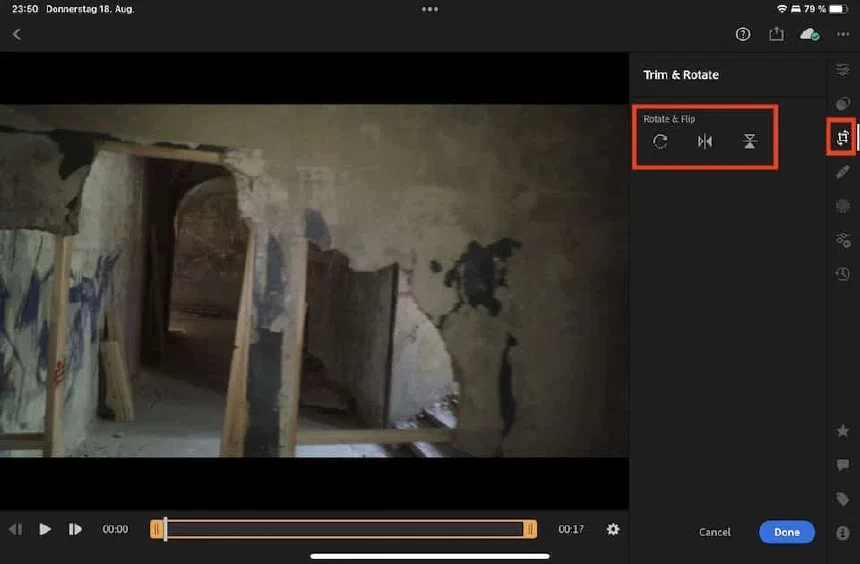
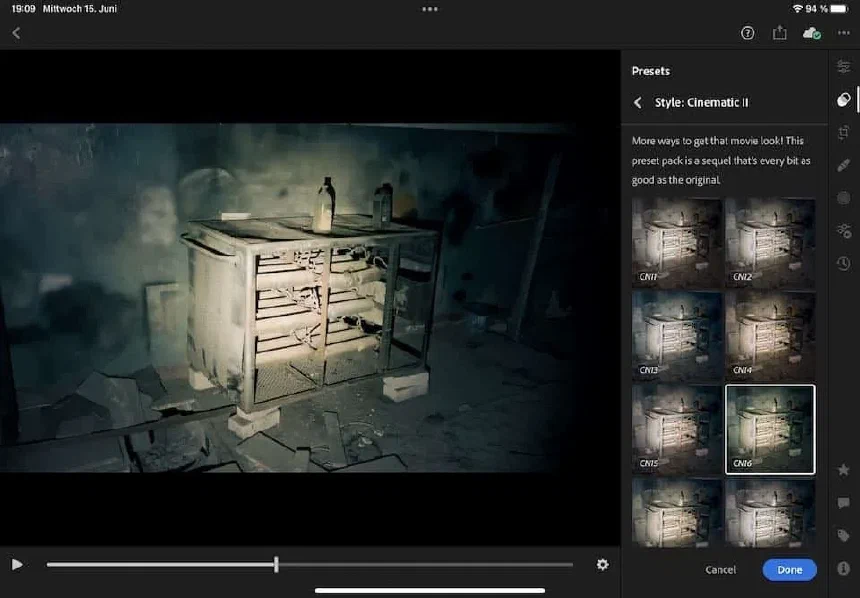
How to edit videos in Lightroom mobile on iPhone and iPadJun 16, 2022· 1 min read· iPhone PhotographySince June 2022, you can use some features in Lightroom mobile to edit videos. In this blog post, you’ll see which features work for videos. Importing a video into Lightroom mobile - step 1. Importing a video into Lightroom mobile - step 2. Videos will display a filmstrip icon in Lightroom mobile. Only some adjustments are enabled for video editing in Lightroom mobile. Trimming a video in Lightroom mobile. Rotating a video in Lightroom mobile. Applying a preset to a video in Lightroom mobile.HOW HELPFUL WAS THIS ARTICLE? Not helpful A little Helpful Very helpfulThank you for your feedback!More Blog Posts about:iPhone Photography Photo Editing Apps Tutorials Adobe Lightroom MobileDiscussion2 Comments Thank you! Your comment has been saved and will appear after moderation.Leave a comment on this post... Comments are moderated, links are deleted. So don't even bother spamming. Submit CommentJOJoe skept20. July 2022So damn expensive….. get other app at the end do the same ReplyCHChris Feichtner20. July 2022I agree. I wouldn't buy Lightroom just for the video editing capabilities.Just one more step×Please enter your name and email address. Your email will never be published. Your Name * Email Address * Cancel Publish Now

Discussion
2 CommentsComments are moderated, links are deleted. So don't even bother spamming.
Just one more step
Please enter your name and email address. Your email will never be published.